配置中心
这部分主要介绍下配置中心使用说明, 戳我参考最佳实践示例
新建项目
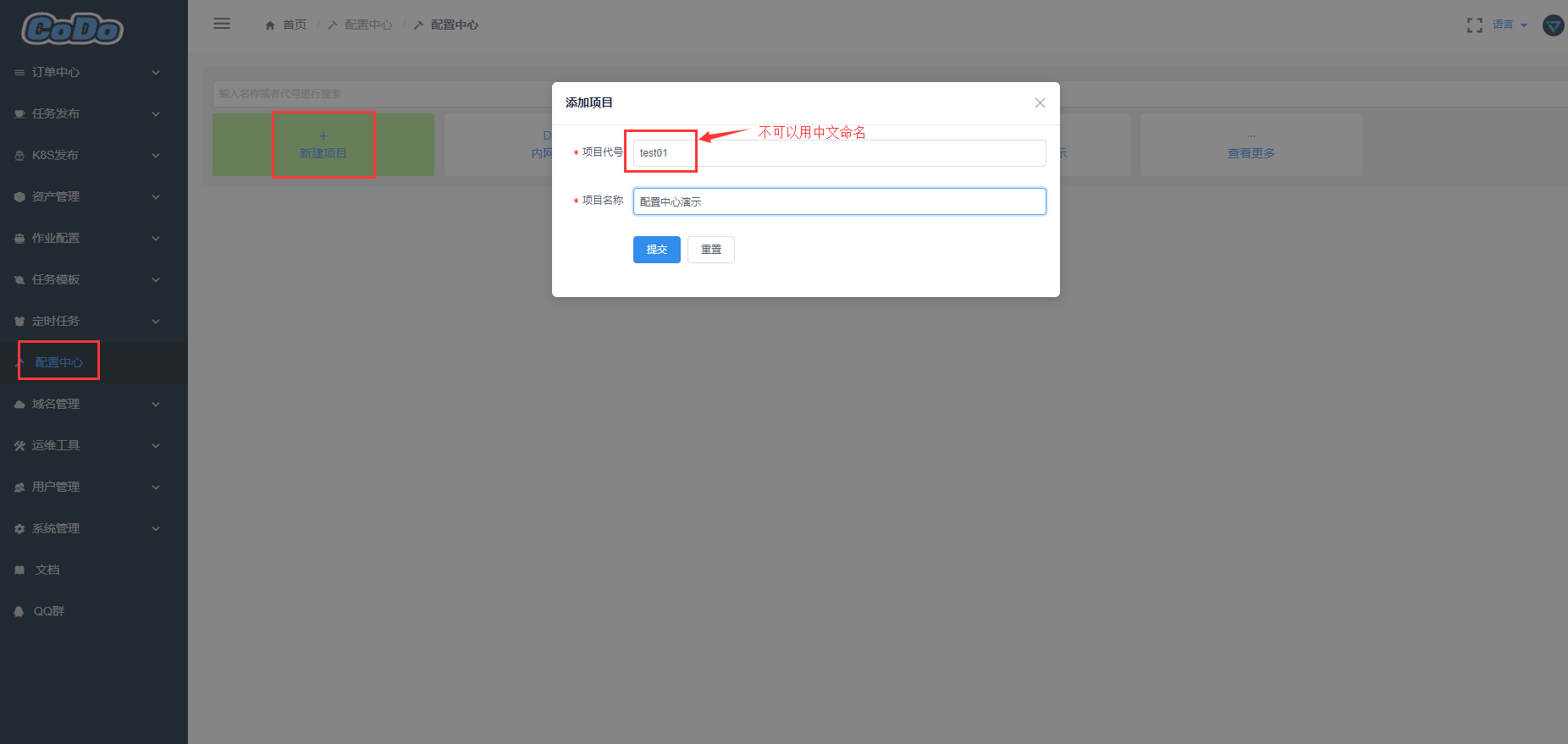
填写环境-服务等信息
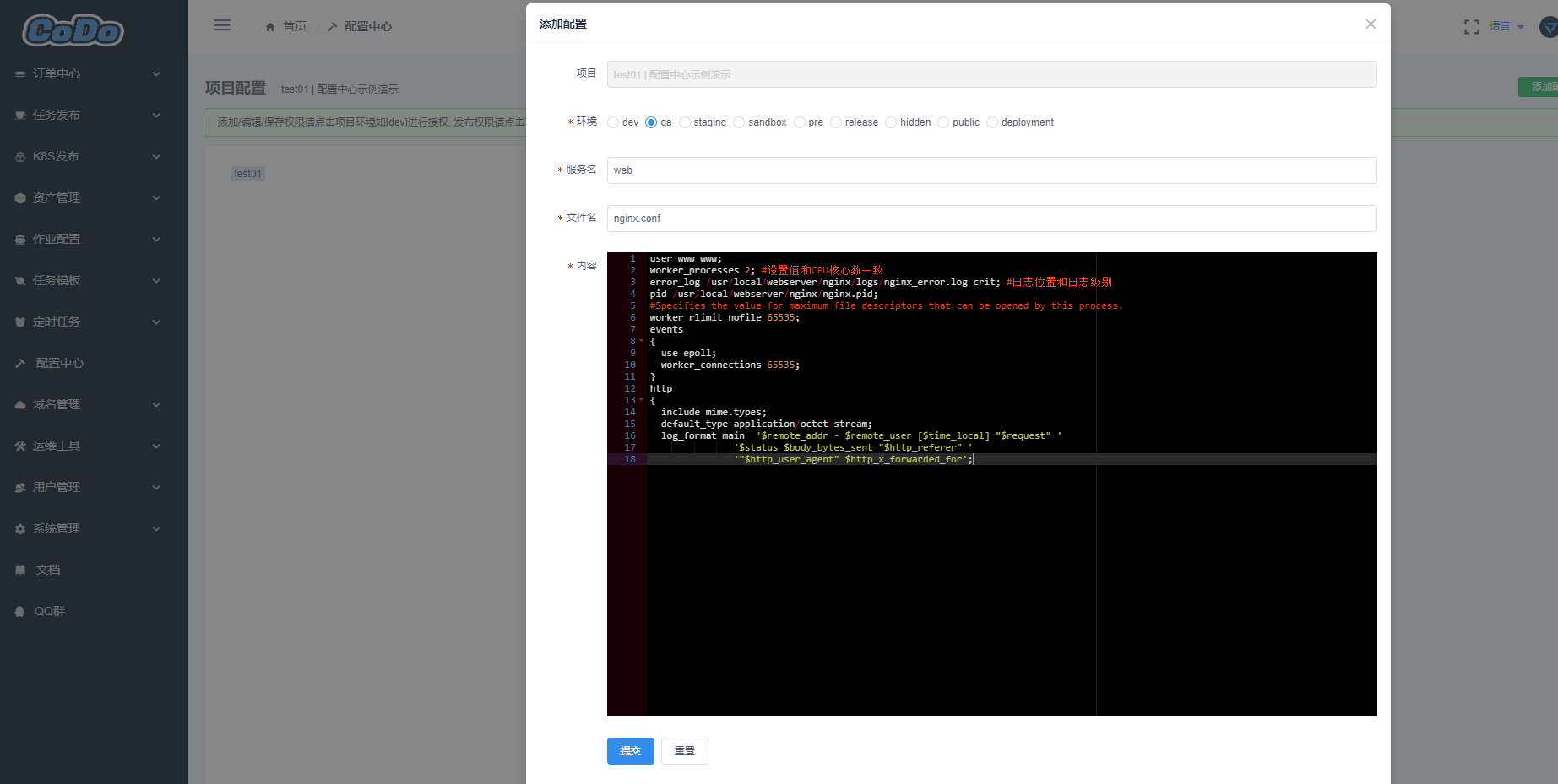
对项目授权
对整个项目授权是可以看到整个项目里面的配置
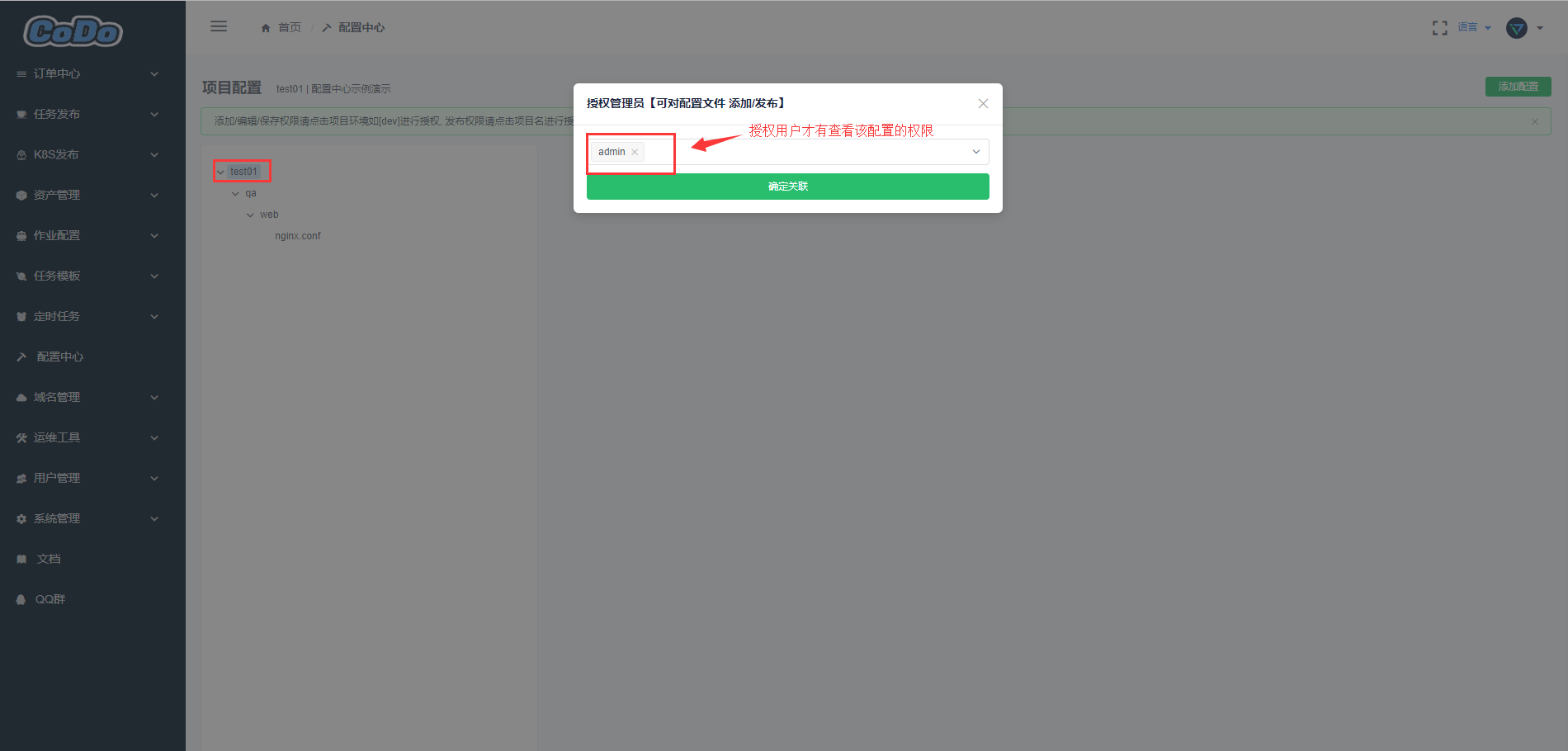
对单个环境授权
对单个环境授权:项目下若有多个环境,授权的用户只能看到指定的环境
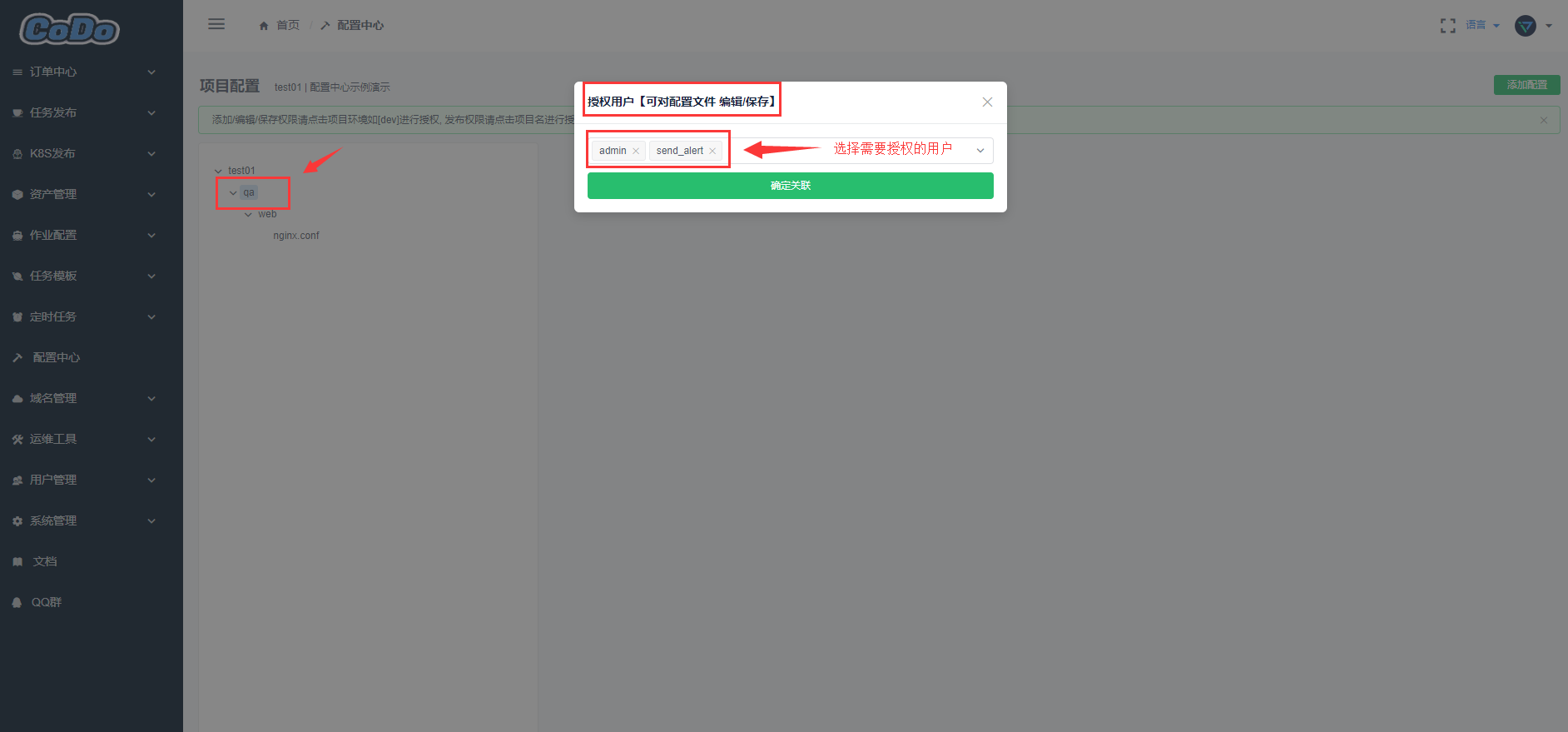
如何获取配置
那么我新建了一个配置,我怎么获取到他呢? 没关系我们提供了获取配置的示例
- 简单示例,也可参考复杂示例
Python版本
class ConfApi:
    def __init__(self):
        # self.auth_key 是一个长期Token,基于用户管理里面,管理员选中用户生成长期Token,默认发送到用户邮箱
        self.auth_key = 'eyJ0eXAiOiJKV1QiLCJhbmZpZyIsIm5pY2XcFBbGciOiJIUzI1NiJ9.eyJleHAiOjE2NTMwMzQyNzYsIm5iZiI6MTU1Nzk5NDI1NiwiaWF0IjoxNTU3OTk0Mj3ZjZlXHU3NTI4XHU2MjM3IY2LCJpc3MiOiJhdXRoOiBzcyIsInQiOiIxNTYxODcxODA2MCIsImRhdGEiOnsidXNlcl9pZCI6NjYsInVzZXJuYW1lIjoiZ2V0X2NvFOOo'
        self.conf_path ='/tmp'
        self.conf_config_api = "https://codo.domain.com/api/kerrigan/v1/conf/publish/config/"   #配置中心获取API


    def get_config_details(self, project_code, environment, service, filename):
        # 获取配置文件内容,  2019-04-28支持URL auth_key登陆,不需要再登陆进行获取auth_key,直接生成长期Token用
        #__token = self.login()

        __token = self.auth_key
        try:
            _params = {'project_code': project_code, 'environment': environment,'service':service,'filename':filename, 'auth_key': __token}
            res = requests.get(self.conf_config_api, params=_params)
            ret = json.loads(res.content)
            if ret['code'] == 0: return ret['data']
        except Exception as e:
            print('[Error:] 发布配置接口连接失败,错误信息:{}'.format(e))
            exit(-2)


    def create_config_file(self, project_code, environment, service, filename):
        # 生成配置文件
        config_data = self.get_config_details(project_code, environment, service, filename)
        for k,v in config_data.items():
            config_file = self.conf_path + k
            dir_name, _ = os.path.split(config_file)
            if not os.path.exists(dir_name):
                os.makedirs(dir_name)
            with open(config_file ,'w') as f:
                f.write(v)
        #     print('config file path is {}'.format(config_file))
        # print('success')
        return config_file  #返回文件路径

def main():
    obj = ConfApi()
    config_file = obj.create_config_file('DNS', 'release', 'dnsmasq', 'dnsmasq.conf')
    hosts_config_file = obj.create_config_file('DNS', 'release', 'dnsmasq', 'dnsmasq_hosts')

if __name__ == '__main__':
    main()
Go版本
go run write_conf.go -p code-v1 -e dev -s codo-admin -f settings.py -r /tmp/settings.py1
// 用golang编写,可以应付多种环境,并且可以对文件编译,防止密钥泄露
package main

import (
 "encoding/json"
 "flag"
 "fmt"
 "io/ioutil"
 "os"

 "github.com/kirinlabs/HttpRequest"
)

const (
 authKey = "eyJ0eXAiOiJKV1QiLCJ2MCIsImRhdGEiOnsidXNlcl9pZCI6MjgsInVzZXJuYW1lIjoic3MtdGVzdhbGciOiJIUzI1NiJ9.eyJleHAiOjE2NTQ4MjzdXBlcnVzZXIiOmZhbHNlfc2MDYsIm5iZiI6MTU1OTc4NzU4NiwiaWF0IjoxNTU5Nzg3NTk2LCJpc3MiOiJhdXRoOiBzcyIsInN1YiI6Im15IHRva2VuIiwiaWQiOiIxNTYxODcxODACIsIm5pY2tuYWJpc19X0.gMGMRKqtd_CM6rIzE8mxuwR8c8dz_hyH21FETOO4XbE"
 confURL = "https://codo.domain.com/api/kerrigan/v1/conf/publish/config/"
)

var (
 project_code string
 environment  string
 service      string
 filename     string
 realfilename string
 configData   string
)

func getArgs() error {
 flag.StringVar(&project_code, "p", "ss", "项目代号")
 flag.StringVar(&environment, "e", "dev", "环境")
 flag.StringVar(&service, "s", "app", "应用名称")
 flag.StringVar(&filename, "f", "settings.py", "文件名")
 flag.StringVar(&realfilename, "r", "/tmp/settings.py", "最终写入文件")
 flag.Parse()
 if project_code == "ss" {
  fmt.Println("[Error] 参数不正确,请使用参数 --help 查看帮助")
  os.Exit(-5)
 }
 return nil
}

func writeWithIoutil(name, content string) {
 data := []byte(content)
 if ioutil.WriteFile(name, data, 0644) == nil {
  fmt.Println("[Success] 修改配置成功")
 }
}

func main() {
 getArgs()
 req := HttpRequest.NewRequest()

 // 设置超时时间,不设置时,默认30s
 req.SetTimeout(30)

 // 设置Headers
 req.SetHeaders(map[string]string{
  "Content-Type": "application/x-www-form-urlencoded", //这也是HttpRequest包的默认设置
 })

 // 设置Cookies
 req.SetCookies(map[string]string{
  "auth_key": authKey,
 })

 // GET
 resp, err := req.Get(confURL, map[string]interface{}{
  "project_code": project_code,
  "environment":  environment,
  "service":      service,
  "filename":     filename,
 })

 if err != nil {
  fmt.Println("[Error]", err)
  // log.Println(err)
  os.Exit(-1)
 }

 if resp.StatusCode() == 200 {
  body, err := resp.Body()

  if err != nil {
   fmt.Println("[Error]", err)
   os.Exit(-2)
  }

  res := make(map[string]interface{})
  json.Unmarshal(body, &res)

  for _, v := range res["data"].(map[string]interface{}) {
   configData = fmt.Sprintf("%v", v)
  }
 } else {
  os.Exit(-3)
 }
 writeWithIoutil(realfilename, configData)
}